How we built Savvy Experiences' booking system
Savvy Experiences rents speakers, projectors, microphones and lighting across Dallas–Fort Worth, delivered and set up. It is the company I run, so every piece on this page is live: open savvyexp.com, pick a package, and watch the price build.
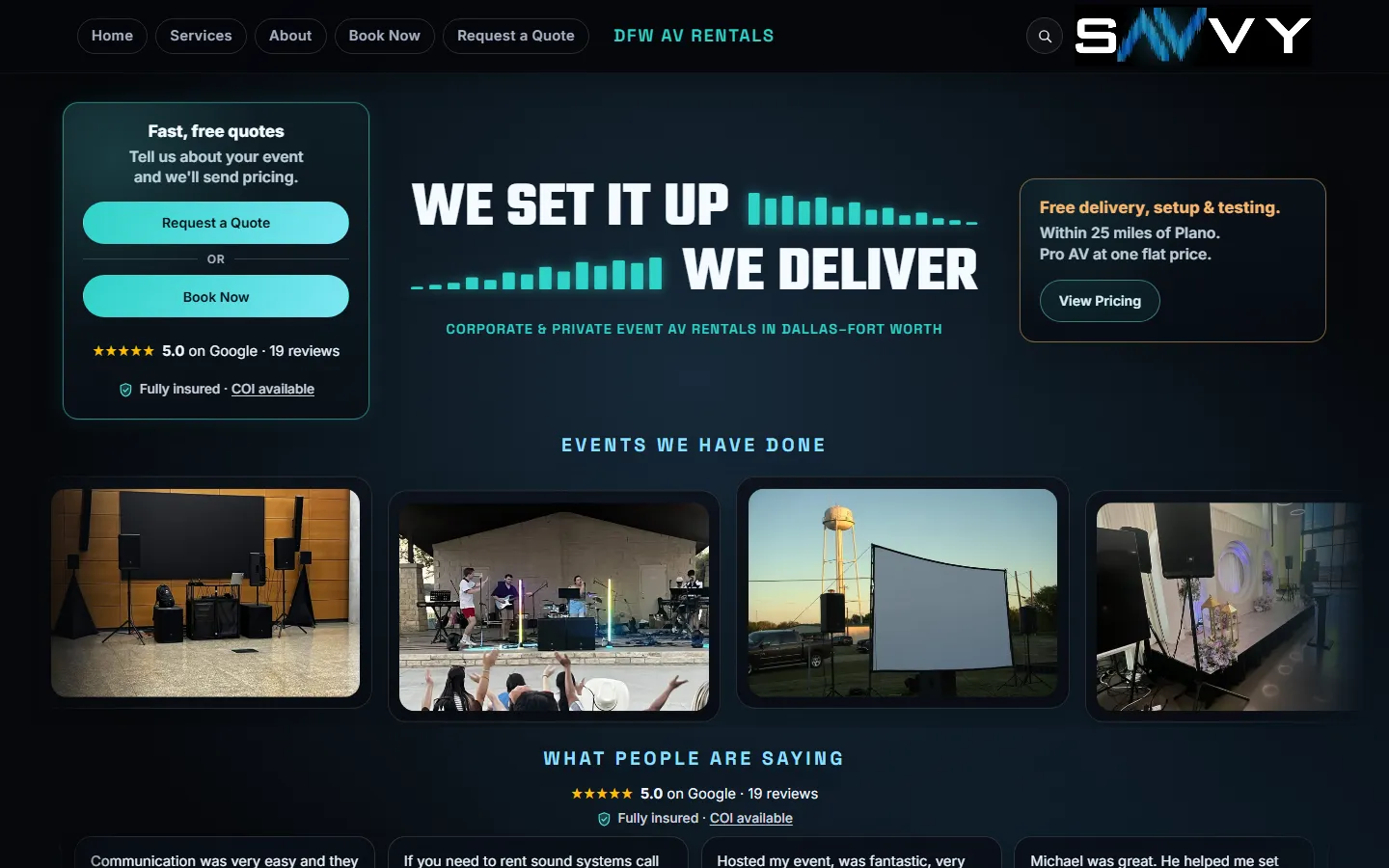
A spreadsheet that already worked, and quotes that lived in text threads
Before the website took bookings, every job lived in one Google Sheet: a Bookings tab with a row per event, a price list, an invoice tab, formulas that total each job, and an Apps Script menu for the day-to-day. Customers asked for a quote and waited for the owner to send a price back.
The brief was simple and strict: let customers price and book on their own, without replacing the sheet. No new dashboard to learn, no monthly booking platform, and the owner's formulas had to keep working on every row the website writes.
Six steps, each one a small piece of code you can point to
- 01
Price
Customer picks a package and add-ons. Total, deposit and balance update on every tap.
- 02
Distance
The event address becomes a no-toll driving distance from Plano, and the delivery line prices itself.
- 03
Availability
Before checkout, the gear is checked against the inventory and every booked row with overlapping times.
- 04
Deposit
Stripe Checkout takes 25% plus the card fee. A webhook covers customers who close the tab early.
- 05
Record
The booking is written into the owner's own sheet, in the columns his formulas already use.
- 06
Notify
Customer and owner each get an email and a text. Review requests follow after the event.
The quote builds itself while the customer clicks
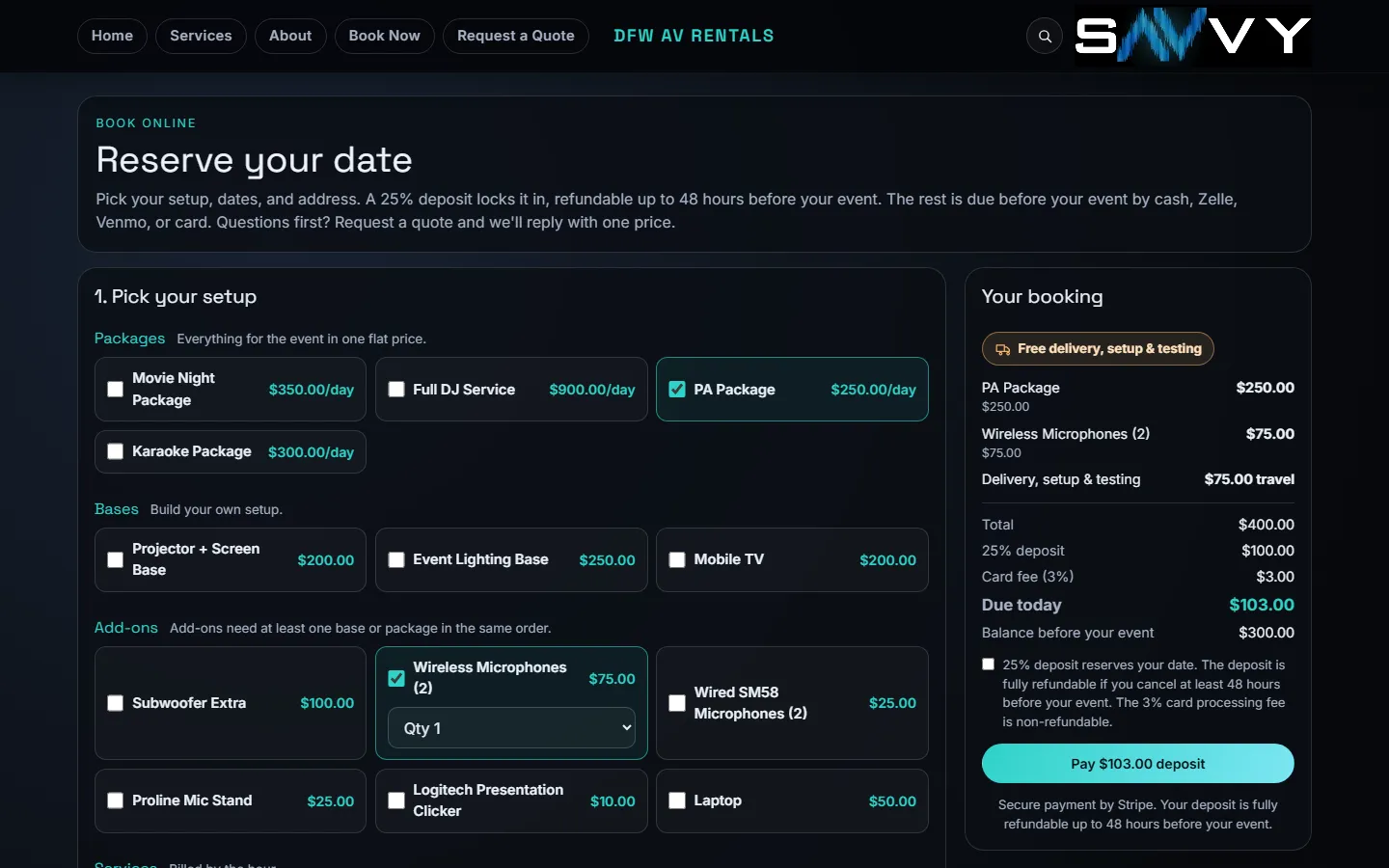
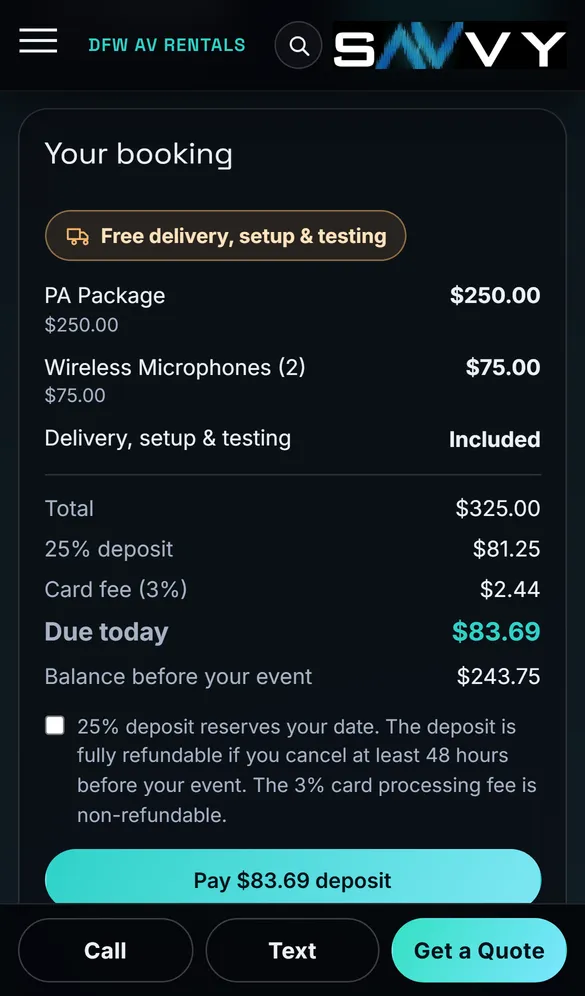
The booking page lists four packages, three bases, six add-ons and three hourly services. Each tap updates the booking summary: line items, total, the 25% deposit, the 3% card fee on that deposit, what is due today and the balance before the event.
- Multi-day rentals bill each extra day at 50%
- Add-ons unlock only once a package or base is in the order
- The deposit and refund policy sit next to the pay button, in plain words
The delivery fee comes from the real drive, not a zip code table
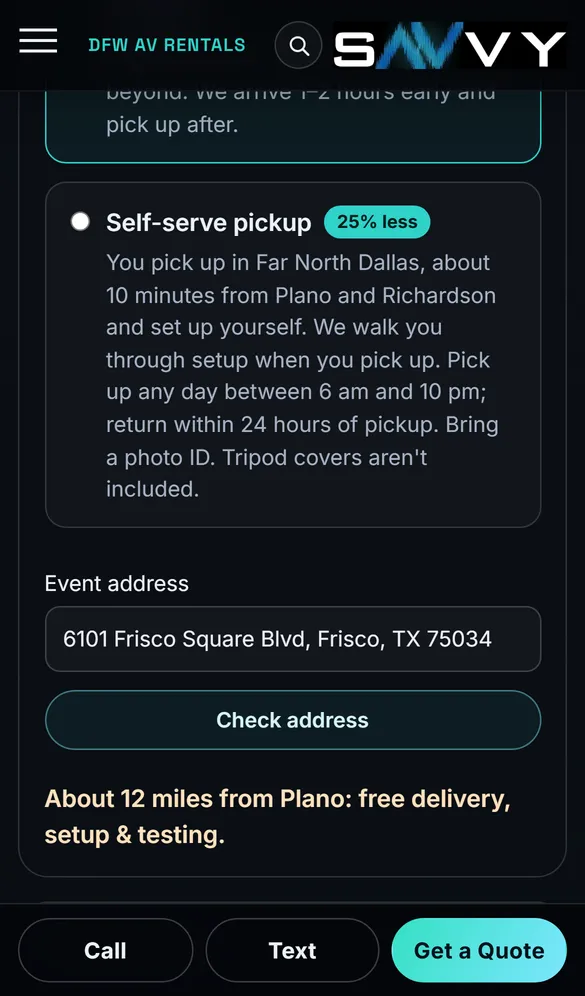
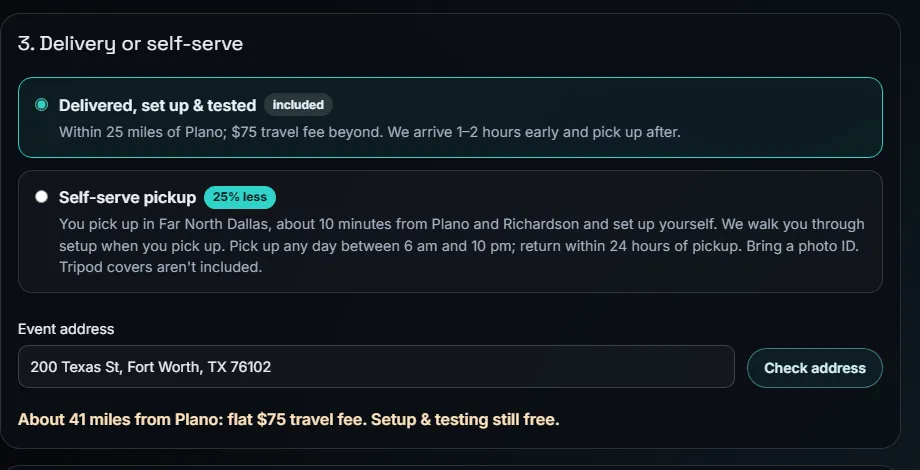
Delivery, setup and testing are free within 25 miles of Plano, with a flat $75 travel fee beyond that. When the customer enters the event address, an API route geocodes it with OpenStreetMap and asks a routing engine for the driving distance with toll roads excluded.
- Highway frontage addresses that maps miss fall back to the street, then the city, then the ZIP
- If live routing is down, a straight-line estimate padded for real roads keeps checkout moving
- Beyond 60 miles, the page stops online booking and points to a quote instead
Google Sheets stays the system of record
The site reads and writes the owner's existing spreadsheet through the Google Sheets API, signed in as a service account. Nothing moved to a new database.
No double-booking
Before payment, the server compares the gear in the order with the inventory list in the sheet and every Booked row whose times overlap. If a speaker is already out that night, the customer sees a plain-English message and nothing is charged.
Stripe deposits
Stripe Checkout collects the deposit. The confirmation page records the booking; a webhook does the same if the customer closes the tab, and it re-reads the session from Stripe so a forged event can't create one.
Rows the formulas expect
Each paid booking becomes a row in the Bookings tab: customer, dates and times, packages and gear in their own columns, travel fee, total, deposit in Paid $, status Booked, and a note with the Stripe session.
Pay-by-link invoices
The Invoice tab builds links for a deposit, the balance or a custom amount. When a customer pays, the amount is added to that booking's Paid $ and the owner gets an email and a text with the new total.
Income and expenses
An Income tab lists every booking with money paid, newest first, without retyping. Expenses are entered on their own tab, and a monthly summary shows booking income, other income, expenses and net.
Owner stays in charge
The website only adds new rows, the Paid $ amount and a payment note; the owner's other data is left alone. A header check stops every write if the sheet's columns ever move.
A quote form for the customers who want to talk first
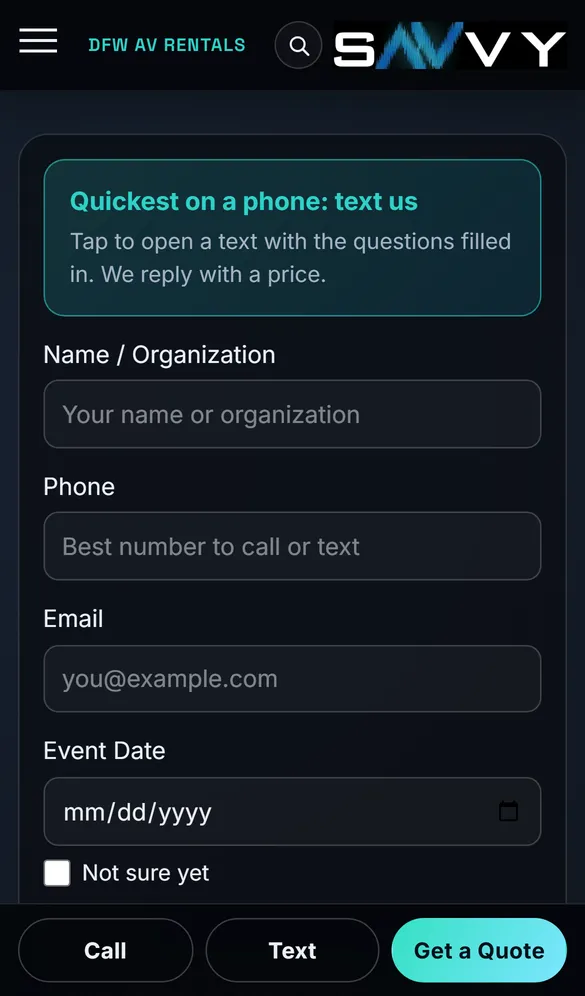
Not everyone wants to pay online. The quote form asks for name, phone, email, date, location and what they need, and lets them tick “Not sure yet” for the date or place. On a phone, one tap opens a text with the questions already filled in.
- Each request is saved as a lead with the ad or search that brought it
- The owner gets the details by email straight away
- Paid bookings send the customer a confirmation email and text, and alert the owner the same way
- Each notification has a time limit, so a slow email or text service can't stall the confirmation
Asking for the review, on a schedule
A Vercel cron job runs every day. It reads the Bookings tab, finds customers whose event ended yesterday in Dallas time, and sends each one the Google review link by email and text, once. A Postgres table remembers who was asked, and test bookings are skipped.
It ships with an on/off switch. Until the owner turns it on, each run only reports who would have been asked, so nothing reaches a customer by surprise.
5.0 ★ on Google · 19 reviews
“Handling both the DJ setup and party rentals, he made coordination so easy because we didn't have to juggle multiple vendors.”Carlos, Google review
“Truly amazing! The best audio set up I've ever heard and not to mention the amazing service!”Jerry, Google review
Boring, well-supported parts, wired together carefully
Nothing exotic to maintain. The owner keeps the Stripe account, the Google Sheet, the domain and the code.
- Next.js 16
- Vercel
- Stripe Checkout
- Google Sheets API
- Resend email
- SMS alerts
- Postgres
- OpenStreetMap + OSRM
- Vercel Cron
Concept sites for other trades
A taqueria, a roofing contractor and an event venue, built to show the same ideas in a different setting.
Want this for your business?
If jobs start with a text and end in a spreadsheet, the same pieces fit. Thirty minutes, no slides, and a fixed price at the end.